Your System Data,
finally explained.
macOS hides tens of gigabytes in a bucket it calls “System Data” — and never tells you what's inside. Sediment breaks it down in plain language and safely reclaims what's safe.
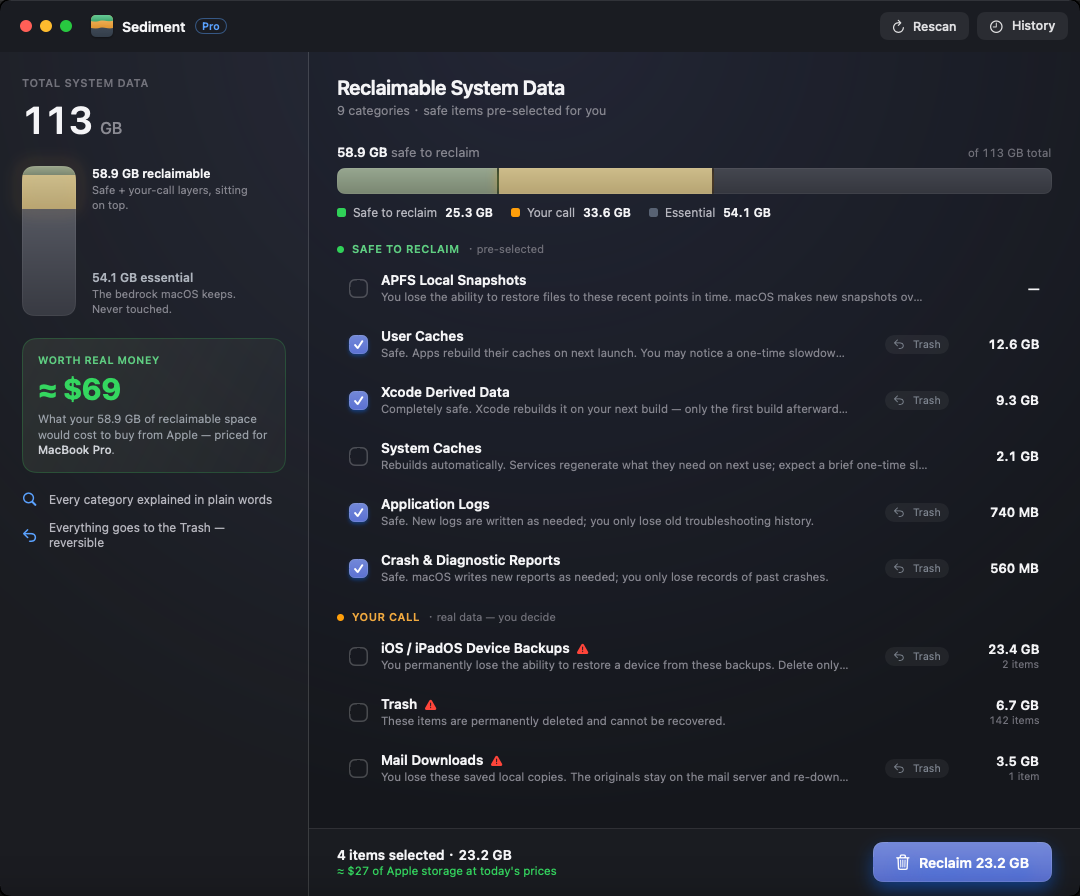
Where did 92 GB go?
Other tools just show you a pile of junk to delete. Sediment accounts for the entire number — including the part you should keep.
Caches, logs, and Xcode junk — sent straight to the Trash.
Old backups, archives, and Mail — real data, decided by you.
The OS, virtual memory, and Spotlight — untouchable, by design.
Estimated, and roughly matches About This Mac → Storage. The app never touches the essential part.
Only System Data
Not another do-everything cleaner. Sediment goes deeper than anyone on the one part of macOS that quietly fills your disk.
Explains everything
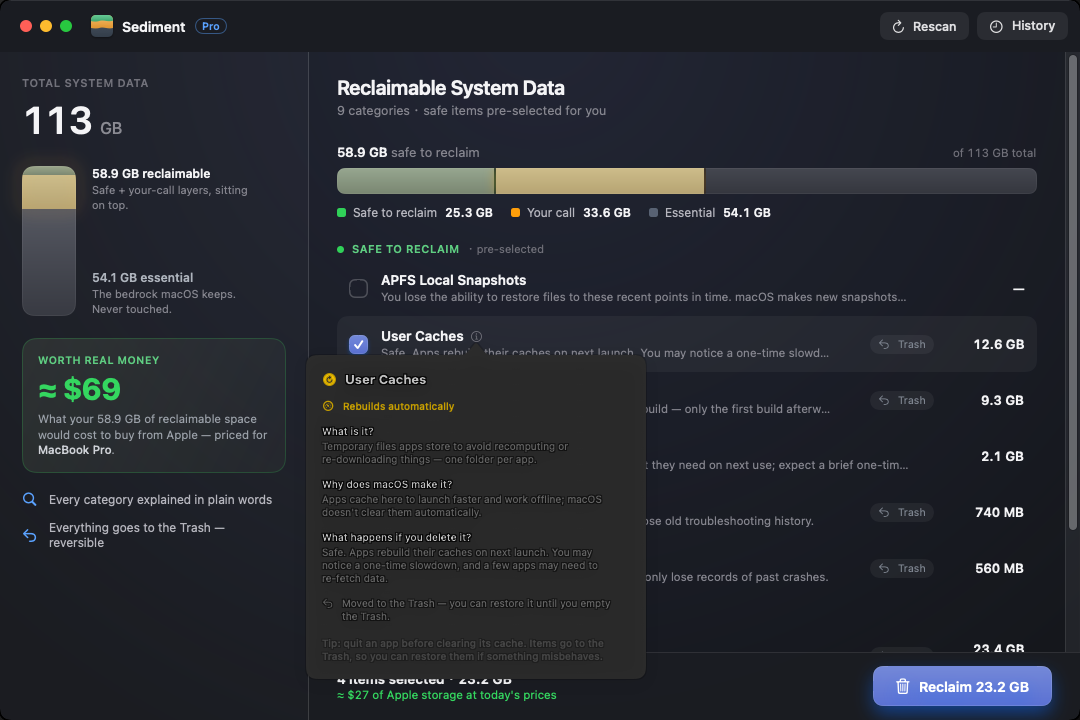
Every category answers three questions in plain language: what it is, why macOS made it, and exactly what you lose if you delete it.
Safe & reversible
Safe items are pre-selected; risky ones are opt-in. Whatever can go to the Trash, does — so you can always change your mind.
No subscription
One-time purchase. No ads, no tracking, no account, no monthly bill. Buy it once, own it.
Every category, in plain words.
Click any item and Sediment answers three things before you touch it — so you're never guessing what some “cache” actually is.
The space you free is space you don't pay Apple for.
Apple solders the storage in and charges a fortune to upgrade it. Sediment shows the space you reclaim as the dollars it would cost to buy from Apple today — priced for your exact Mac.
What Apple would charge to buy back 40 GB of storage today.
Buy once. Own it.
Direct download
The complete version. Reaches everything — including APFS snapshots and system caches.
Mac App Store
Sandboxed “lite” version. Scans and explains everything; reclaims your user-level System Data.
Bought on the App Store? Open it, grab your license key, and unlock the direct download for free — one purchase covers both.